
0-to-1 HealthTech Platform
Smplicare Fall Prevention
- Role
- Founding Product Designer
- Company
- Smplicare
- Timeline
- May 2022 – Present
- Owned
- End-to-end UX, research, UI, design system and DTAC documentation. Data science owned the model.
- £560k
- UKRI funding
- 96.5%
- rated Excellent or Very Good, 65+
- NHS DTAC
- compliance, 2025






Starting Without a Viable Product
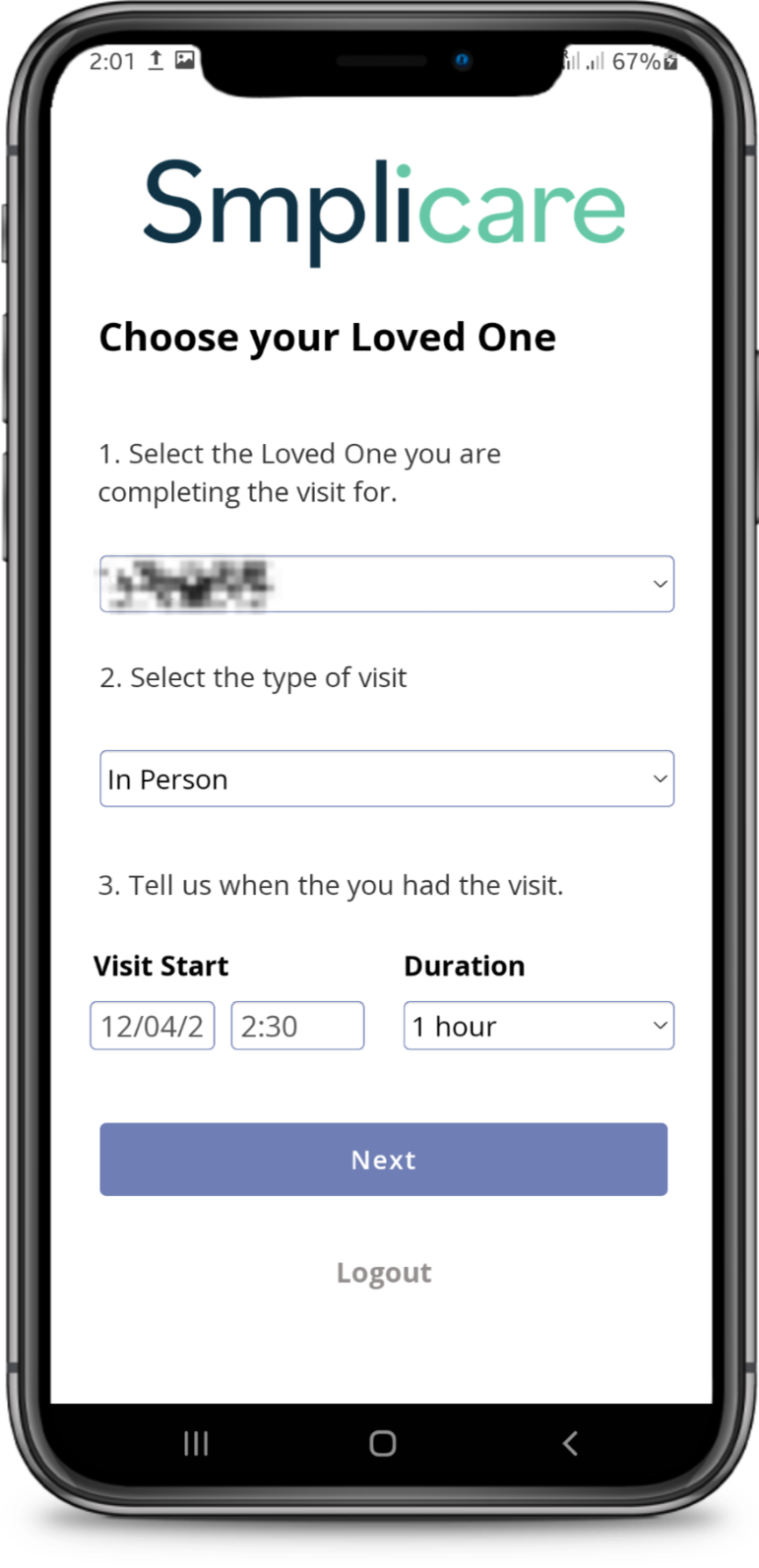
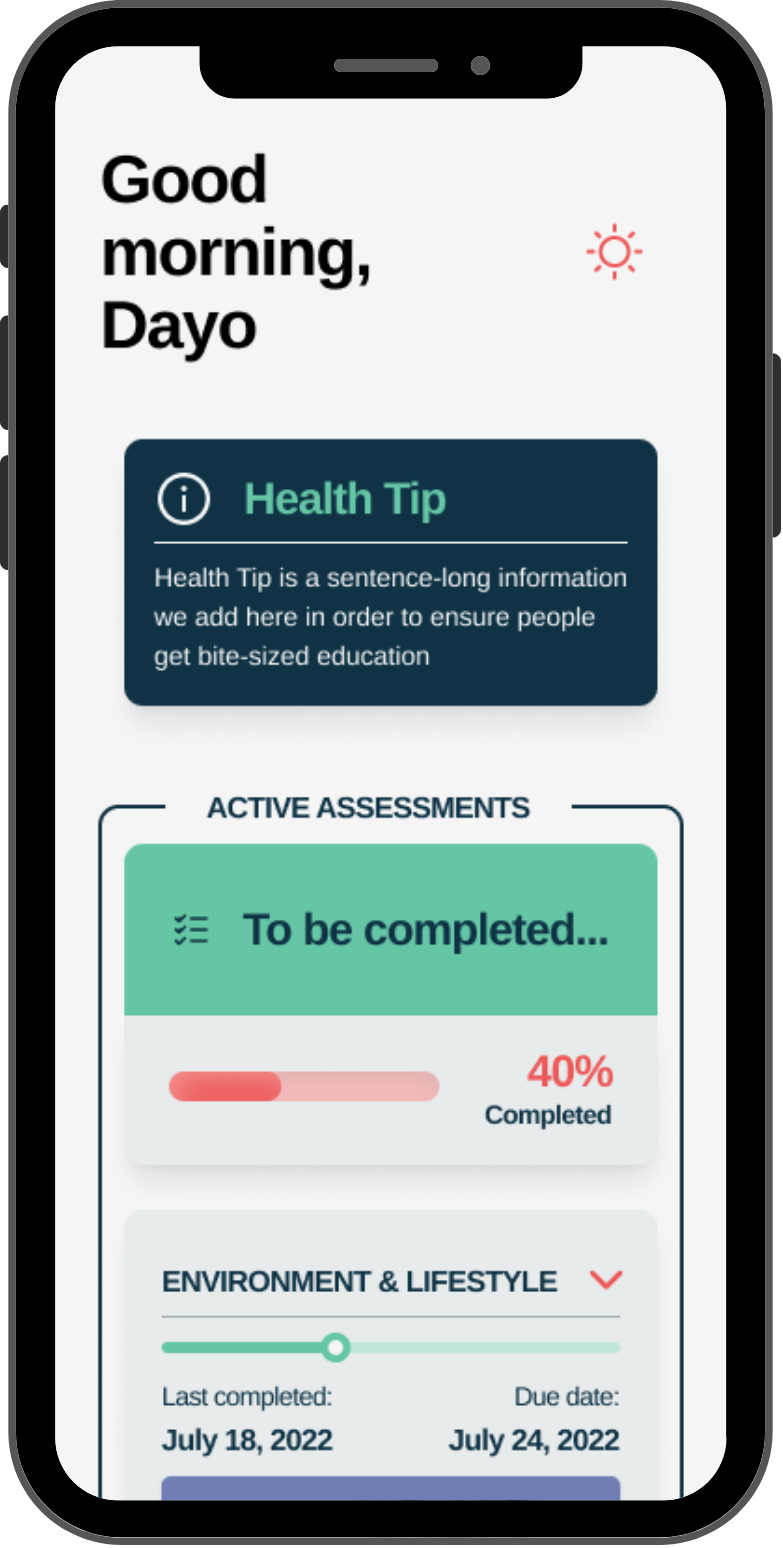
When I joined Smplicare, the "product" was a basic web wrapper. It failed clinical viability tests and risked funding. The company needed a native solution capable of capturing complex health data (wearables, fall risk) without overwhelming non-technical users aged 65+.
Strategic Decision
We debated speed against data quality: stay with web-based views in Bubble.io, or rebuild native. I advocated for React Native. It added 40% to initial dev time, but it was the only way to give our demographic a seamless experience and collect the accurate background data our AI algorithms needed.
Design Decisions, in Context
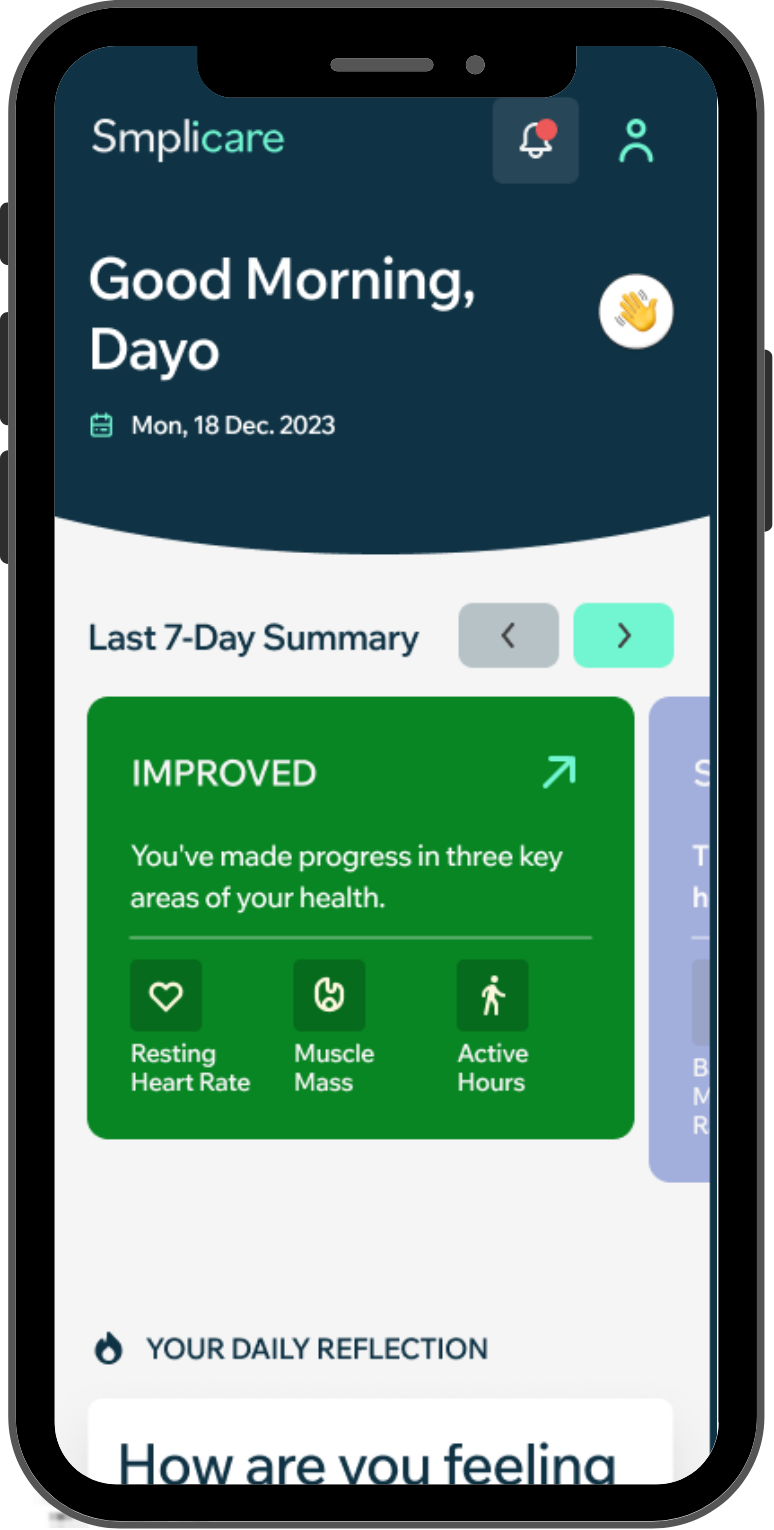
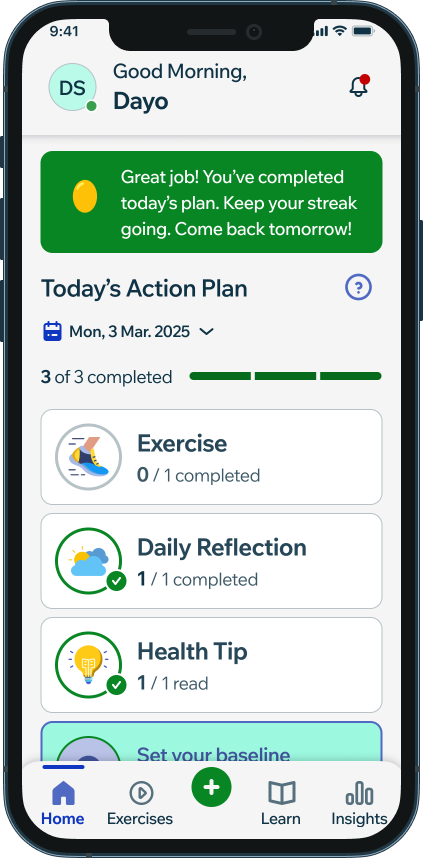
Four decisions on the Home Screen, shown in the 2026 release above, came directly out of research, not visual preference:
- A data dashboard overwhelmed her. We flipped the hierarchy to "one task at a time" instead of showing all her data at once.
- We set an 18pt minimum type size and 56px+ touch targets across the app, to support users with tremors or cataracts.
- Empty states discouraged her. We pre-filled the day's Health Tip so there was an easy win waiting first thing.
- We tested a hamburger menu against bottom tabs. Bottom tabs won, "out of sight, out of mind" is a real barrier for users with lower digital literacy.
Susan, 72
Former librarian, active in her community: an online exercise class, in-person pilates, a weekly lunch club, a seasonal gardening group. Comfortable with a phone and tablet for everyday tasks, less confident picking up a new one.
Susan is a composite persona, not a real participant.
Susan, 72
Former librarian, lives with her husband. Independent, values staying that way.
Goals
- Understand her health risks early
- Use insights to guide daily choices
- Stay independent
- Advocate for herself with practitioners
Frustrations
- Feature overload before any value is shown
- Data she can’t interpret
- Notification fatigue
- Design that assumes she can’t cope with information
"I want to be proactive, not reactive, especially when it comes to my health. I've seen what happens when you ignore the signs. I don't want to be caught unprepared."
Competitor Analysis
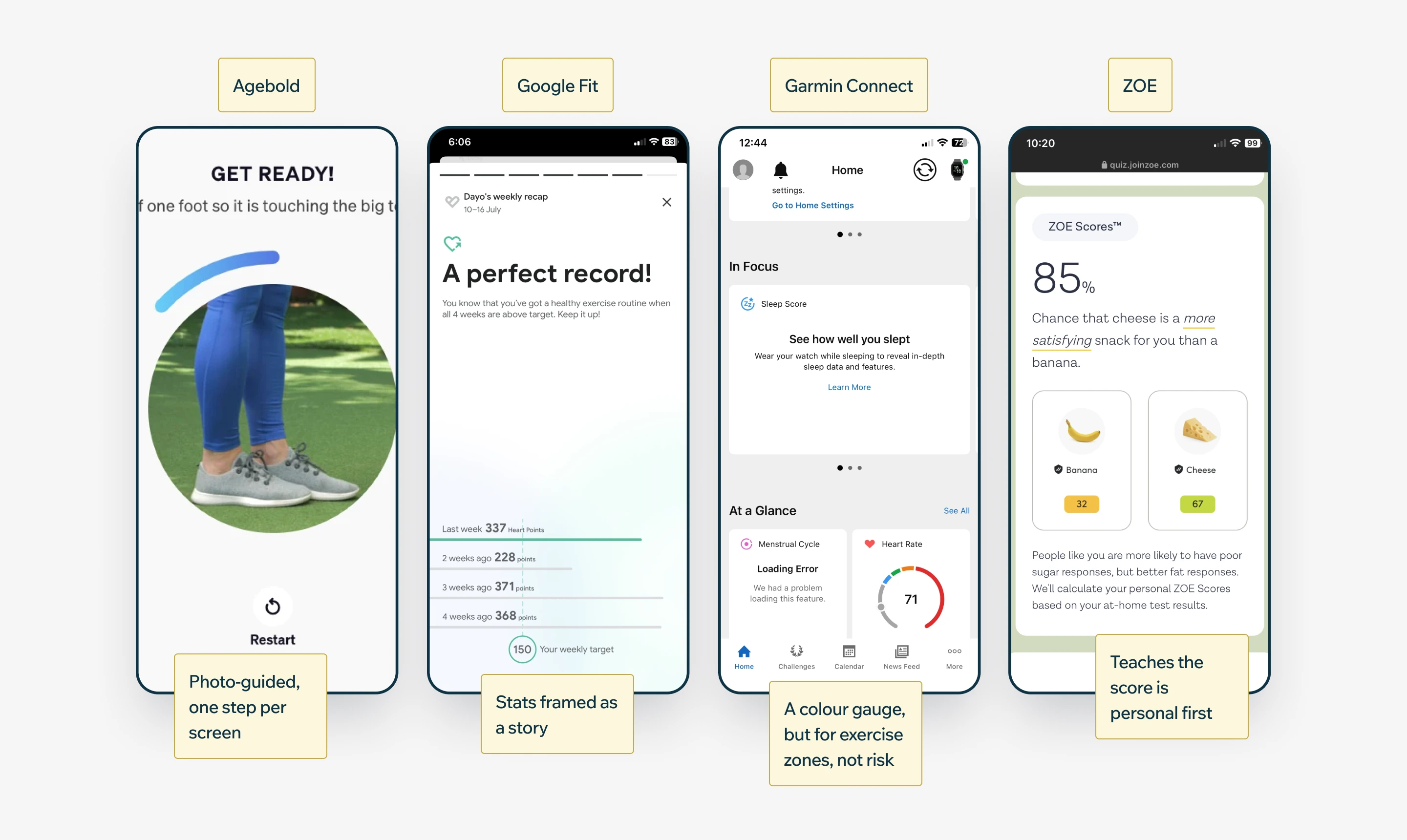
Before settling on a direction, I reviewed four apps working the same problem from different angles: Agebold, Google Fit, Garmin Connect and ZOE. None are built for a clinical fall-risk context, but each contributes a pattern worth stealing, or a mistake worth avoiding.
What We Were Designing Against
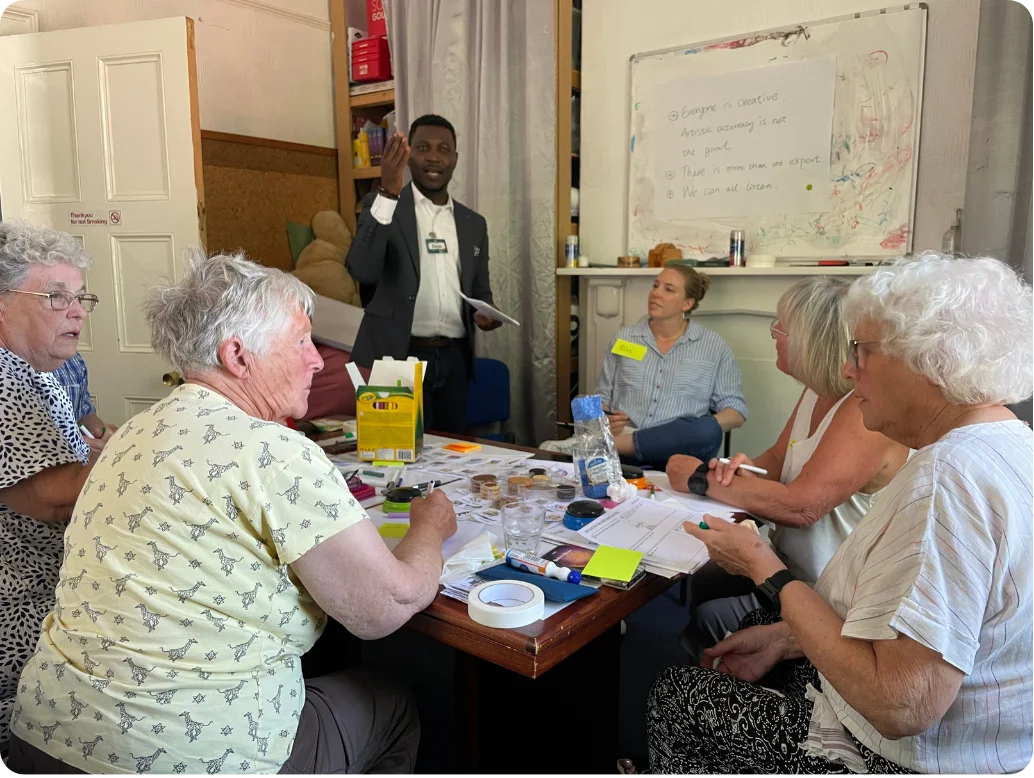
Two research threads, run separately, converged on the same problem. A hopes-and-fears workshop with the target demographic surfaced what actually drives this age group before any app was involved: independence, financial security, staying mobile, staying connected to family. The fears mirrored the hopes exactly.
Hopes
- Live at home, with security
- Financial wellbeing
- Maintain mobility
- See family
- Continue existing activities
Fears
- Losing enough mobility to carry on as I am
- Losing independence or having to ask for help
- Losing mental ability or memory
- The cost of losing any of the above
That told us the stakes were independence and identity, not a clinical score. Testing confirmed it: a red "Fall Risk Score" made people disengage rather than act, and the same safety copy and equipment list were being asked to work equally for someone in full mobility and someone recovering from spinal surgery.
Where It Broke
Mapped stage by stage: sign up, each fitness test, the daily plan, insights. Four stages carried the clearest evidence.
Sign up
Action
Creates an account, verifies by OTP
Pain point
OTP forces leaving the app
Opportunity
Reduce forced app-switching
Fitness test
Action
Completes a timed test
Pain point
RAG score reads as a verdict, not progress
Opportunity
Reframe around personal progress
Daily plan
Action
Opens the app to see what to do
Pain point
Three competing prompts, no clear next step
Opportunity
One clear action at a time
Insights
Action
Checks results and history
Pain point
Results duplicated, no trend view
Opportunity
One source of truth per metric
Emotion
What Shipped First, and Why
Weighed each finding against reach, clinical risk, and effort. Safety and clarity fixes shipped first, progress framing needed real design work, and a home-screen change stayed on watch.
Designing for Clinical Complexity
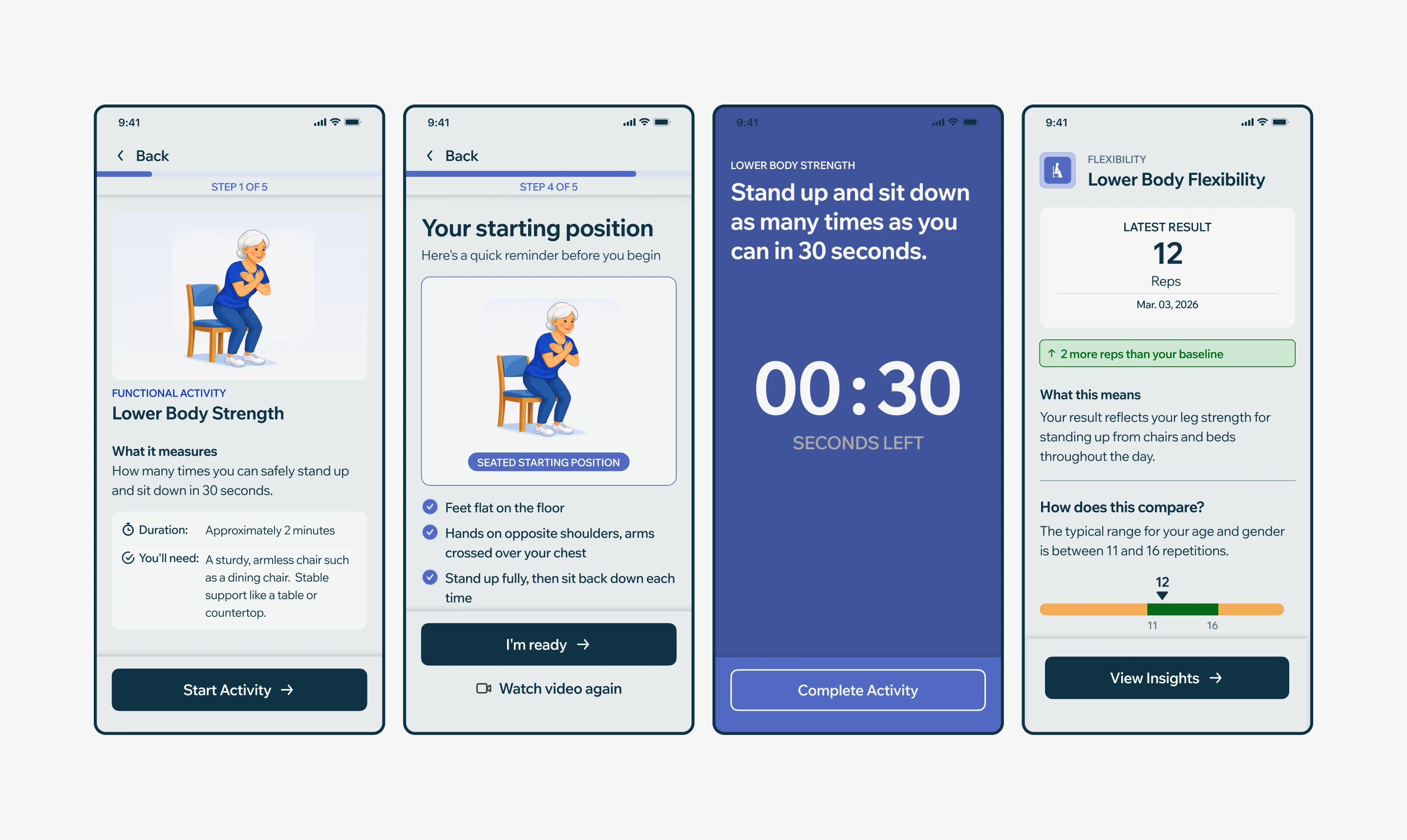
Beyond the algorithm, the harder problem was translating FaME and Otago-approved exercise protocols, the clinical standard for fall-prevention programmes for older adults, into a flow a user aged 65+ could complete alone, unsupervised, without misreading a step and risking injury.
Mobile App Flow
Each exercise became a multi-step journey: a safety checklist before starting, a demonstration video, a readiness countdown, a live timer during the exercise itself, and a self-reported result checked against normative ranges for the user's age and gender.
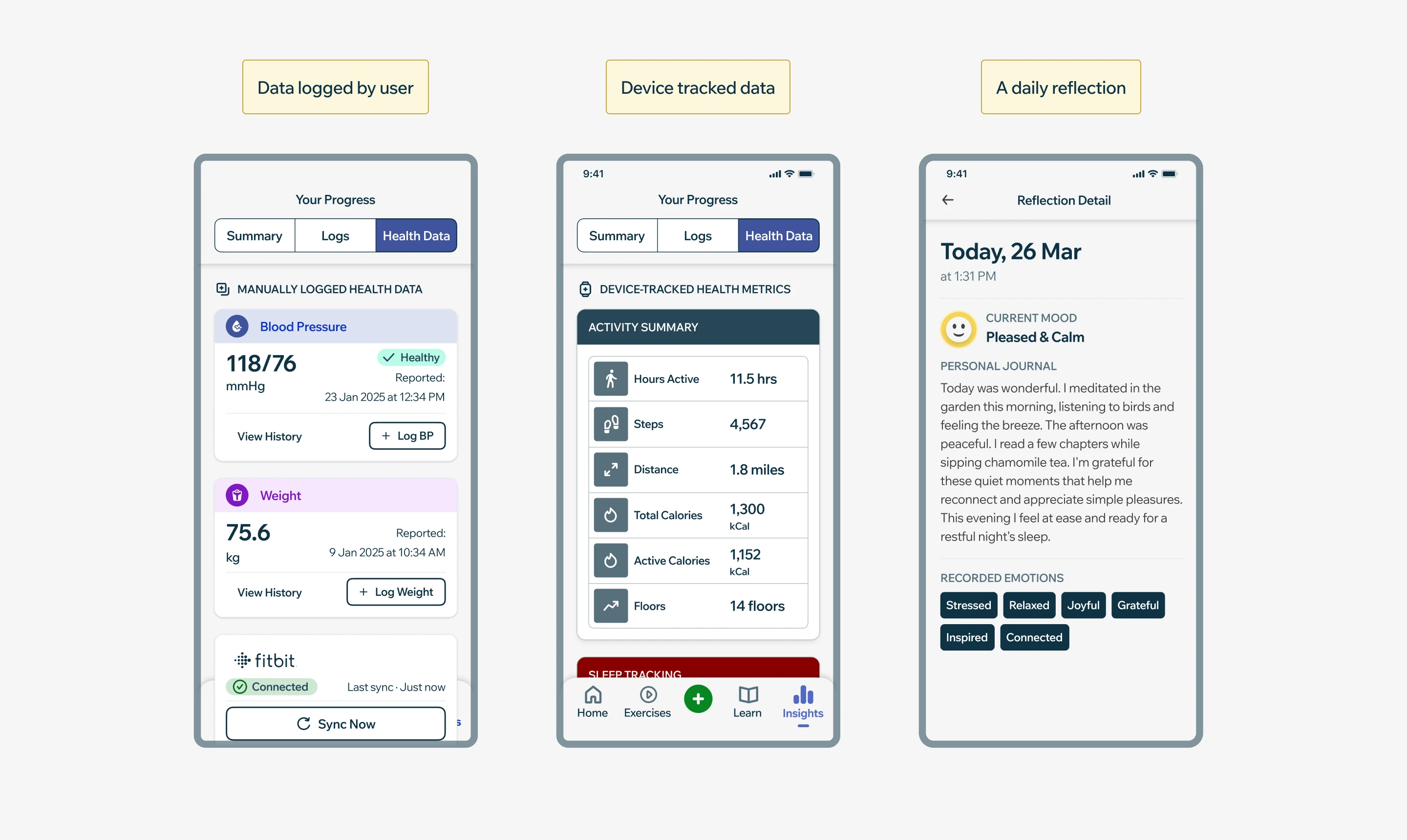
Making Health Data Legible
Device readings, hand-logged values and daily reflections, shown without becoming a dashboard.
- 25 device metrics in five colour-coded groups.
- Empty states prompt: "Log your first reading today."
- Device and self-reported data kept apart.
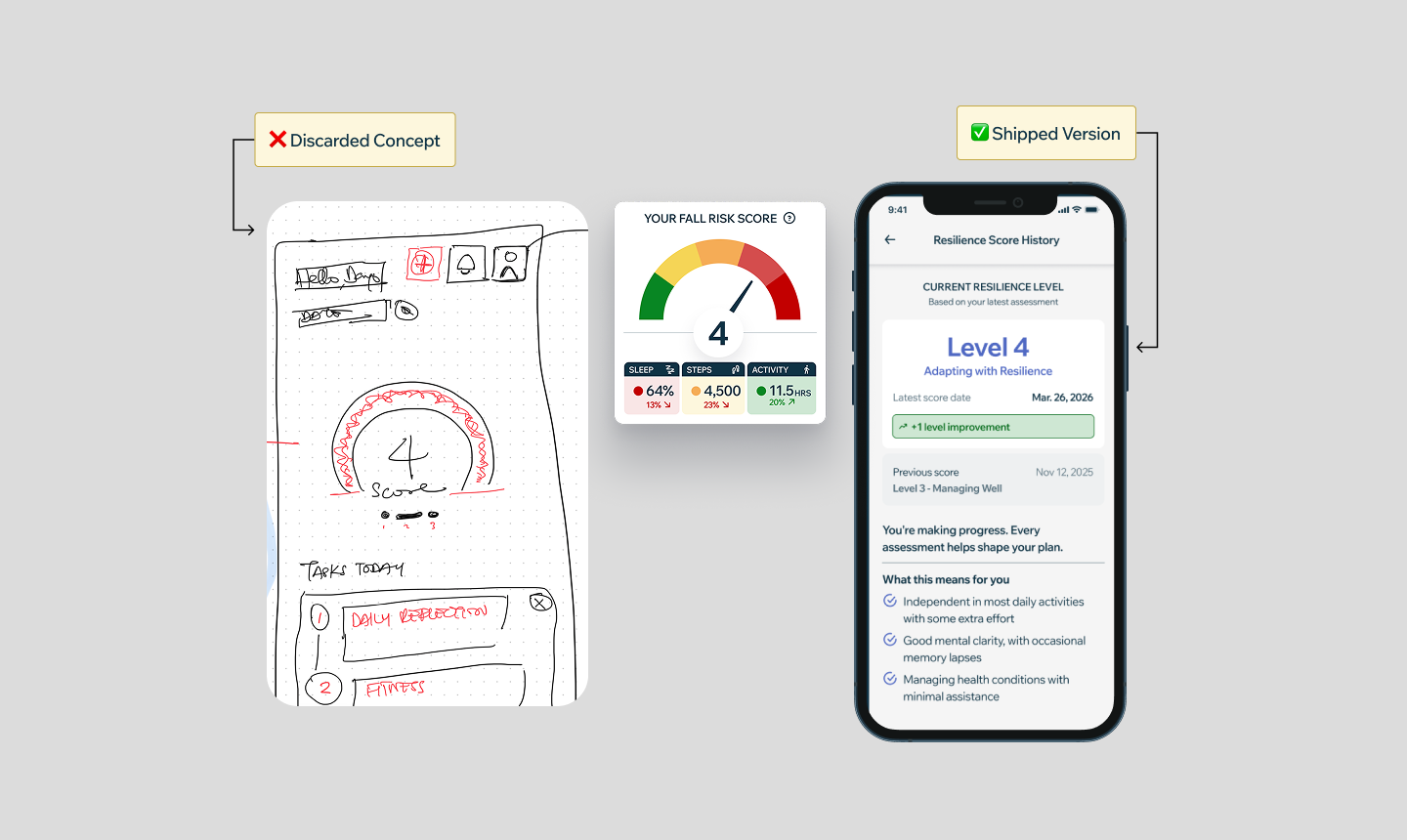
Turning Scary Data Into Empowerment
Early research showed that a big red "Fall Risk Score" terrified users and caused them to stop using the app. We pivoted the design to focus on resilience rather than risk: instead of showing users how likely they were to fall, we showed them how much stronger they were getting, and the exercises to build more of it.
Testing It With Real Users
24 adults, two sessions, with the University of Glasgow's HealthTech Innovation Lab. Participants watched a demo, then discussed safety, accessibility and progress feedback.
- "If they improve by a little bit and then still fall in that red category, it could be demotivating."
- "I just wonder if any thought has been given to reaching people who have sensory issues."
- "I've got a one-bedroom flat. I'd need to take a table out to get that 8 feet."
This turned the RAG complaint from a hunch into a confirmed problem, and shaped the safety checklist and results screen that followed.
The Impact
£560k
UKRI funding
NHS DTAC
compliance, 2025
96.5%
rated their experience Excellent or Very Good
64%
of surveyed participants felt stronger
Top Innovator
